

Recent Posts





Tag: tech

Facebook Lite as a Case Study in Digital Minimalism
Digital minimalism is often talked about like a lifestyle choice—turn off notifications, delete apps, simplify your screens. But sometimes, minimalism isn’t a philosophy at all. It’s a practical solution. Facebook Lite is a great example of this idea in action. Designed for speed, efficiency, and low data usage, it unintentionally became a case study in how doing less can sometimes do more.
Why Facebook Lite Exists in the First Place
Facebook Lite wasn’t created to be trendy or mindful. It was built for users with slower internet connections, older devices, and limited data plans. Instead of pushing every new feature, the Lite version focuses on core functionality: posting, scrolling, messaging, and reacting. By necessity, it removes visual clutter, heavy animations, and background processes. The result is a stripped-down experience that feels surprisingly refreshing.
Accessibility Over Excess
Another overlooked aspect of Facebook Lite is accessibility. The app works well across a wide range of devices and environments. People using older laptops or desktops often look for alternatives like facebook lite for pc because the lighter footprint means fewer crashes and less strain on hardware. In this way, minimalism becomes inclusive, not restrictive, widening access instead of narrowing it.
Less Design, More Function
One of the first things users notice is how plain Facebook Lite looks. Fewer images are loading at once, simpler layouts, and almost no visual flair. While this might seem like a downgrade, it actually highlights how much of the main app’s design exists to capture attention rather than improve usability. In the Lite version, function clearly comes first, and that’s a hallmark of digital minimalism.

Speed as a Form of Calm
Minimalism isn’t just about aesthetics—it’s about how something feels to use. Facebook Lite opens quickly, scrolls smoothly, and rarely lags. That speed reduces friction and frustration, which has a subtle psychological effect. When an app responds instantly, you’re less likely to get stuck in mindless loops of refreshing and waiting. The experience feels calmer, even if the content is the same.
Fewer Features, Fewer Distractions
Facebook’s full app is packed with extras: stories, reels, suggested content, and notifications layered on notifications. Lite pares much of this back. While nothing stops you from scrolling endlessly, there are fewer visual and algorithmic nudges pushing you deeper. This reduction doesn’t eliminate distraction, but it does soften it. You’re more likely to check in, do what you came to do, and leave.
An Unintentional Lesson in App Design
What’s interesting is that Facebook Lite wasn’t marketed as a mindful alternative. Yet it demonstrates a key principle of digital minimalism: intentional constraint can improve user experience. By limiting features and visual noise, the app reveals what people actually need versus what platforms think will keep them engaged longer.
What Facebook Lite Says About the Future
As users grow more aware of screen fatigue and digital overload, lighter experiences are starting to feel less like compromises and more like upgrades. Facebook Lite hints at a future where apps offer modes or versions that respect attention instead of constantly competing for it. Minimalism, in this sense, isn’t anti-technology—it’s pro-clarity. Facebook Lite proves that digital minimalism doesn’t have to be a personal discipline; it can be built directly into the tools we use. By focusing on essentials, reducing distractions, and prioritizing performance, it offers a quieter, more intentional way to stay connected. Sometimes, the best way forward isn’t adding more features—it’s learning what to leave out.…

How to Regularly Audit and Update Your Digital Content Library for Optimal Relevance
In today’s fast-paced digital landscape, maintaining an organized and relevant content library is crucial for businesses and creators alike. A well-managed digital content library not only enhances user experience but also boosts SEO performance and supports your brand’s authority. Similar to the professional review on All You Can Books, regular audits and updates help ensure that your content remains fresh, engaging, and relevant to your audience’s needs. Here’s a friendly and informative guide on how to effectively audit and update your digital content library.
Why Regular Audits Are Essential
- Improves Relevance: Content that was once valuable can become outdated or irrelevant. Regular audits help you identify and remove or update such content to keep your library fresh.
- Enhances User Experience: Users are more likely to engage with your content if it is current and useful. By regularly updating your library, you enhance the overall experience for your audience.
- Boosts SEO: Search engines favor fresh content. Regularly updating your library can improve your search rankings, driving more organic traffic to your site.
- Identifies Gaps: Audits help you spot content gaps where you might need to create new material to address emerging trends or topics your audience cares about.
Steps to Audit Your Digital Content Library
Before you begin the audit process, define your objectives. Are you looking to improve user engagement, boost SEO, or align your content with new business goals? Having clear objectives will guide your audit and update efforts. Here are the steps you need to consider:

Create an Inventory
Start by compiling a comprehensive inventory of your existing content. This can include blog posts, articles, videos, infographics, and social media posts. A spreadsheet can be a handy tool for organizing this data. Include key details such as:
- Title
- URL
- Publication date
- Performance metrics (views, shares, comments)
- Keywords targeted
Analyze Content Performance
Review the performance of each piece of content. Look at metrics like page views, engagement rates, social shares, and comments. This data will help you determine which content resonates with your audience and which may need to be updated or removed.
Identify Outdated or Underperforming Content
Highlight content that is outdated, irrelevant, or underperforming. Ask yourself:
- Is the information still accurate and useful?
- Does it align with current industry trends?
- Are there better or more recent sources available on the topic?
Update or Remove Content
Based on your analysis, decide whether to update, repurpose, or remove content. Here are some strategies for each approach:
- Update: Revise outdated information, improve formatting, and enhance SEO elements (like keywords, meta descriptions, and alt text for images). Consider adding new visuals or data to make the content more engaging.
- Repurpose: Transform existing content into different formats. For example, turn a popular blog post into an infographic or a video. This can extend the reach of your content while catering to different audience preferences.
- Remove: If certain content is no longer relevant or valuable, consider removing it altogether. Be sure to redirect any URLs to avoid broken links, which can negatively impact SEO.
Fill Content Gaps
As you audit your library, keep an eye out for gaps in content that need to be filled. Are there trending topics or frequently asked questions from your audience that you haven’t addressed? Create a list of potential new content ideas and prioritize them based on relevance and demand.
Establish a Regular Audit Schedule
To keep your content library fresh and relevant, establish a regular audit schedule. This could be quarterly, bi-annually, or annually, depending on the volume of content you manage. Set reminders to review performance metrics and update content as necessary.
Involve Your Team
Encourage team collaboration during the audit process. Input from different team members can provide valuable perspectives on what content resonates with your audience and how to improve it. Additionally, involving various departments (like marketing and sales) can help ensure that your content aligns with overall business goals.
Leverage Technology
…
Top Features All Globetrotters Need in Their Travel Apps
Are you a globetrotter with an insatiable wanderlust? If so, then this blog post is tailor-made for you. As a seasoned traveler myself, I understand the importance of having reliable online travel agency apps that can enhance my journey and make every step of the way seamless. But of all apps I’ve used, I found several features must be included in every travel app for the best traveling experience. What are those features? Read on to find out.
Easy Booking System
With the advancements in technology, having an easy booking system right at your fingertips is a game-changer for globetrotters. Let me explain. A reliable travel app should offer a user-friendly interface that provides seamless searching and booking features for various aspects of your trip. From flights to hotels, car rentals to tours – all within a few taps on your smartphone screen. The ability to compare prices, check availability in real time, and make instant reservations can save you valuable time and ensure that you secure the best deals possible.
Imagine being able to seamlessly plan every aspect of your journey from start to finish with just one app. Whether choosing specific flight times that align with your schedule or selecting accommodations based on location and amenities – an easy booking system simplifies the entire process.
Emergency Services

When it comes to traveling, unexpected emergencies can happen at any time. Globetrotters must have a travel app that provides quick and reliable access to emergency services. Whether it’s a medical issue, a lost passport, or a natural disaster, having the right resources on hand can make all the difference.
The main thing about this feature that every globetrotter needs in their travel app is a direct connection to emergency services. This could include local police departments, hospitals, embassies, or consulates. The ability to quickly locate and contact these essential services can provide peace of mind in times of distress. As a bonus, it’ll be a much better app if it also offers real-time updates on safety alerts and warnings specific to your location.
Travel Itinerary Generator
With so many places to visit, things to do, and sights to see, it’s easy to get lost in the sea of options. That’s where a travel itinerary generator comes in handy. A travel itinerary generator is like having your own personal tour guide at your fingertips. It takes all the guesswork out of planning and creates a customized itinerary based on your preferences and interests.
In fact, I found in several apps this feature can show various recommendations for activities, restaurants, and tourist attractions that are off the beaten path and definitely worth visiting. This means you’ll get to experience destinations like a true local. No more wasting time searching through endless reviews online – simply follow the recommendations provided by the app and let it lead you on an unforgettable adventure.
Seamless Payment Integration
 With seamless payment integration, you can link your credit card or mobile wallet to your travel app and have the convenience of paying for flights, accommodations, transportation, and even dining experiences with just a few taps here and there. No more fumbling for loose change or worrying about running out of local currency and getting at risk of being scammed.
In today’s digital age, travel apps have become indispensable tools for globetrotters. Having these essential features in your travel app will undoubtedly enhance your journey from start to finish. Whether it’s simplifying bookings, providing access to emergency services, generating personalized itineraries, or offering seamless payment options – these features cater specifically towards making every moment count during your travels.…

Cutting-Edge Technologies That Are Revolutionizing the Way We Learn
Education has come a long way from the days of chalkboards and textbooks. With the fast-paced advancement of technology, learning has become more immersive, interactive, and accessible than ever before. It’s no surprise to find someone taking IT courses online and not step foot inside a classroom. From virtual reality classrooms to personalized adaptive learning algorithms, cutting-edge technologies are revolutionizing how we approach education. In this blog post, we’ll look at innovative technologies transforming the educational landscape and paving the way for a brighter future of lifelong learning. Get ready to explore new horizons in education.
Virtual Reality
Virtual reality tech immerses users in a three-dimensional environment. This technology is used to help users learn new information more effectively. Virtual reality has improved student retention rates and comprehension by providing a new perspective on information. Additionally, virtual reality can reduce anxiety and stress levels in students.

Augmented Reality
Augmented reality uses technology that overlays digital objects in the real world. This technology is used to help students learn new information more effectively. Augmented reality can provide visuals for learning materials, such as textbooks or lecture slides. Additionally, augmented reality can overlay quizzes or problem sets onto images or videos. This allows students to interact with the materials interactively.
Artificial Intelligence
Artificial intelligence, commonly known as AI, is a type of technology that mimics the cognitive abilities of humans. AI is effective when learning new information. AI can identify patterns and relationships in data more quickly than humans can.
Gamification
Gamification is a type of technology that uses game mechanics to improve learning. Game mechanics can be used to motivate students to learn information. Additionally, game mechanics can be used to track student progress and achievement. This helps students feel engaged in the learning process and improves their comprehension and retention of information.
E-Learning
E-learning is learning that occurs online. E-learning is ideal for students who have difficulty attending traditional educational events or cannot leave their homes. E-learning platforms allow users to access learning materials from anywhere in the world. Additionally, e-learning platforms often include features that help students learn more effectively, such as video lectures and interactive content.
There is no doubt that the use of technology has revolutionized the way we learn. Technology has made learning easier than ever before, from accessing information from anywhere and at any time to sharing resources with classmates and colleagues.…

Top Graphics Settings to Tweak for an Outstanding Gaming Experience
PC gaming is one of the most exhilarating experiences you can have. The sense of immersion that comes with playing games on your computer is unrivaled. However, to get the most out of your PC gaming experience, you must ensure that your graphics settings are optimized. Referring to experts’ tips on Hayastan Cheats, the right combination of tweaks can result in an outstanding gaming experience. This post will shed some light on the top graphics settings you should tweak in every PC game. Let’s get started.
Vertical Sync (VSync)
 Vertical Sync is a great setting to tweak if you want to reduce screen tearing. It synchronizes the game’s frame rate with your monitor’s refresh rate, resulting in smoother graphics and fewer visual issues. The downside of VSync is that it can cause input lag, so it might not be the best option if you’re playing games that require fast reactions and precise inputs. By enabling this setting, you can avoid the other side effects of high frame rates, such as flickering textures and stretching.
Anti-Aliasing (AA)
Do you always desire a smooth-looking game with no jagged edges or pixelated textures? If so, Anti-Aliasing is the right setting for you. It smoothes out the jagged edges of objects in a scene and makes them look more realistic. Though it can reduce performance slightly, it’s well worth it if you want to get the most out of your gaming experience. You can choose different AA levels, depending on how much performance you’re willing to sacrifice for better visuals.
Motion Blur
 Have you encountered fast-paced scenes in games where the visuals are blurry? This is due to motion blur, which is a setting that basically blurs out fast movements. However, this can end up making your game look more realistic and immersive. It’s also good for competitive players as it reduces eye strain when tracking objects quickly. If you want to reduce motion blur, set the motion blur either off or to its lowest level.
Anisotropic Filtering (AF)
 Anisotropic Filtering (AF) is a great way to improve the quality of textures and surfaces in your game without sacrificing too much performance. It sharpens textures further away from the camera, making them look better and more realistic. The downside is that it increases GPU utilization, so adjust this setting depending on whether you need to prioritize performance or visuals.
These are some of the most important graphics settings you should consider tweaking in every PC game. Combining these tweaks can result in an outstanding gaming experience with fewer visual issues. Remember that different games require different settings, so it’s always best to do your own research and experiment with different settings to find the perfect balance for your game.…

Things to Consider When Downloading Software for Your Laptop
Are you looking for apps for your new laptop? If so, you should consider a few things before making your decision. The first thing you need to think about is what you will use the software for. There are many types of software available, so it’s essential to choose one that meets your needs. You also need to make sure the software is compatible with your laptop and operating system. This blog post will discuss five things to keep in mind when downloading software for your laptop.
Determine the Purpose of the Software You Need
You can use software for various purposes, so it’s essential to ensure that you’re getting what you need. Common uses include word processing, web browsing, emailing, and photo editing. You might also want to consider purchasing additional tools like antivirus protection or password manager if these are important to you.
Check for Compatibility
 Not all software is compatible with every laptop. To avoid any problems, it’s essential to check for compatibility before downloading anything. Make sure the software is designed for your specific type of computer and operating system.
The software developer’s website should have this information available if you’re not sure. Don’t forget to check the system requirements as well. The software might require more memory or disk space than your laptop has available.
Consider the Cost
Not all software is free, and even the free software has various price points. It’s important to consider how much you’re willing to spend on the software. Sometimes the more expensive options offer more features or are easier to use. However, many affordable options will meet your needs. If you’re not sure which way to go, try out a few different programs before making your final decision.
Review the Reviews
 Before you download any software, it’s always a good idea to read the reviews. It will give you an idea of what other people think about the program and whether it’s worth your time and money. Be sure to look for both positive and negative reviews so that you can get a well-rounded view of the program.
An excellent review will give you an idea of what to expect from the software and whether it’s worth purchasing. A critical review might make you think twice before downloading it. So take some time to read through them carefully before deciding which program is best for your needs.
Get Familiar with the Terms and Conditions
Before you download any software, it’s essential to get familiar with the terms and conditions. This document will outline the specific rules you must agree to before using the software. Be sure to read through them carefully so that you know what you’re getting yourself into. If there are any items in the agreement that seem unfair or confusing, you may want to look for a different program.
There are many things to consider when downloading software for your laptop. You’ll need to think about the purpose of the software and whether it’s compatible with your computer. You also need to make sure you’re comfortable agreeing with any terms and conditions outlined in the agreement. By taking these things into account, you’ll be able to find the perfect software for your needs.…

Choosing the Best Video Editing Application
Choosing a video editing application can be a difficult decision. There are many considerations to consider, and it is essential to understand the difference between what you need and what you want.
This article will look at some of the primary things that should be considered when choosing your next video editing software. So, before you select any of the 5 Apps like Video Star, Video Star for PC like any other video editing app should meet all your needs. Here are some of the considerations you should make.
Consider Your Budget
Most video editing applications tend to charge some money. The prices can range anywhere from $0 to hundreds of dollars. It is best to decide on what kind of budget you would like your video editing application to fit into before researching the available options for this type of application.
If you are looking at free applications that only offer very basic functionality, you might want to consider looking at other options that will cost a little bit of money. These applications should give you more features and capabilities for your video editing project.
Consider the Features You Need
 You should also ensure that you take a look at the features offered by each video editor. Not every application will have all of these, so you should choose an app that has as many of them as possible. Some of the features you should consider are a multi-track timeline for easier editing and manipulation, drag-and-drop support, and the ability to add audio from external sources such as music.
The more features a video editing app offers, the better it is likely to be. You should consider the type of video editing project you want to accomplish and ensure the app you select has the required features.
Consider How Often You Will Be Using the App
Another consideration you should make is how often and for what purpose you will be using the video editing application. If it’s only going to be a hobby or something that you use once in a while, then any of these applications would probably suffice. However, if this is going to be your primary method of creating videos regularly, choose one that has the features you need to create your videos.
If you need to make your own custom transitions or spend time editing color tones, an iMovie application will not be sufficient. This is because it is only available on paid applications like Adobe Premiere Pro and Final Cut. On the other hand, if all you want to do is add music to your video footage, iMovie has many features that will allow you to do this.
Choosing the best video editing software for your needs is a difficult task. There are so many options with varying price points, features, and quality that it can be overwhelming to know where to start. Consider the information mentioned in this post before choosing any video editing phone application.…

Alternative Movie Streaming Apps You Should Know
Mega Shows App is one of the leading providers of video streaming services. It has 182 million subscribers (as of Q1 2020). It also accounts for 8% of global video usage. In the U.S., 47% prefer to use this app to any other streaming service. It’s about to become more popular than ever. If you are interested in installing this app, it would be better to find some tutorials on how to run mega shows app on PC.
However, movies, series, and documentaries may not be for you, despite the overwhelming numbers. You may be willing to pay a monthly subscription for the less popular titles. If you’re looking for apps similar to this app, you’ll be happy to know that there are plenty of options. Here are the top five streaming services you should be using.

Amazon Prime Video
You can browse through the endless list of TV shows and movies just like Netflix. Amazon Prime Video has some exclusive titles and more original series through its video streaming platform. If you’re always on the lookout for new series, it’s worth checking out. Amazon Prime members already have Prime Video included. It might be the best deal for you if you’re a member. You won’t have to pay for anything. You can also use the standalone service for $8.99 per month.
Hulu
Hulu is famous for its unique mix of old and new TV shows, like Seinfeld or The Simpsons. Hulu is a great place to go if you’re looking for a way to go back in time and relive childhood memories. Plus, Hulu releases episodes much faster than other streaming platforms. A new episode can be uploaded to Hulu within days of airing on TV. Currently, Hulu is only available in Japan and the United States. Even though the basic package only costs $5.99, ads are shown. If you prefer an ad-free viewing experience, you can upgrade to a subscription for $11.99 per month.
HBO Max
HBO Max offers a wide variety of content. You won’t get bored if you choose HBO’s video streaming platform. This streaming service is an excellent option if you’re a big fan of the HBO series. You can expect many popular titles such as Westworld, Game of Thrones, and Chernobyl. You can also watch classic HBO series like The Sopranos.
Surprisingly, HBO Max doesn’t just contain the HBO series. You can also stream shows from other WarnerMedia channels such as Cartoon Network, CNN TNT, and TBS. HBO Max will cost you $14.99 per month. It is expensive when you consider the price of the other services on the list. However, considering the extensive content offered, it is well justified.
CBS All Access
 CBS All Access might be the perfect alternative to Netflix. It might not be able to watch particular movies in terms of content volume, but what matters most is its love for the platform’s series. Lately, CBS All Access has been focusing more on original series, with The Twilight Zone being the most popular exclusive. You can also watch live sports coverage and local news. The service is available in the U.S. and Canada for a starting price of $5.99. To get rid of the ads, you need to subscribe to the more expensive $9.99 plan.
Crackle
It would be beneficial if some apps that let you watch anything you want without paying a dime. Crackle is the app for you. Sony has revolutionized video streaming with its completely free platform. However, there are some drawbacks to this service. For instance, you might encounter such an interrupting your favorite movies and shows with ads. Crackle currently only offers a few hundred pieces of content, but the films and series aren’t bad. Crackle could be the perfect free alternative to Netflix if you don’t mind a lot of ads.…
Guide to Play the Rise of Kingdoms on PC on BlueStacks
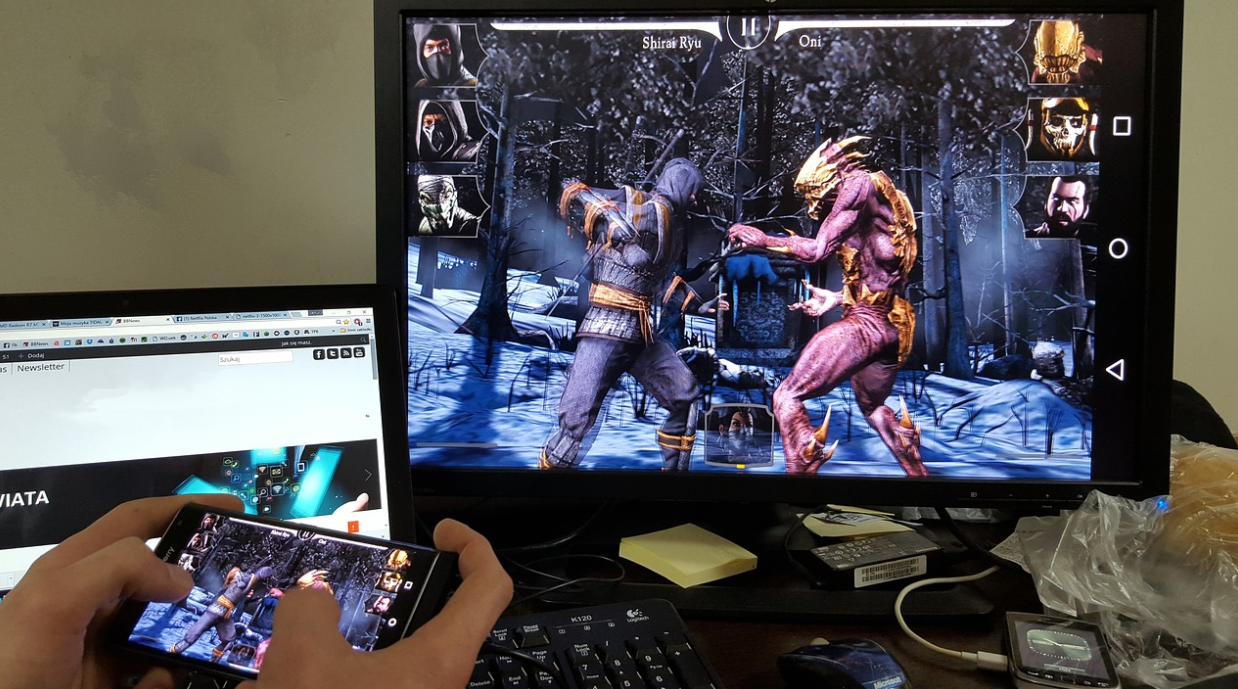
Since playing Rise of Kingdoms usually takes a long time, players often have problems with their phones’ batteries. Many players prefer to play the sport while charging their phones or near a charger or charging station. Now, for most gamers, charging their phones whenever they want will probably be enough to play the game. However, some may prefer to play Rise of Kingdoms on PC. Playing on a PC doesn’t require you to hold your phone for long periods, which is rotten for your phone, and you can multitask while playing on the computer.
 Regarding the phenomenon above, it could make you a bit overwhelmed. This game is not available on PCs. It is why you will need to install a game emulator, such as BlueStacks. It allows you to play the same specific version of the game on your computer. However, you might encounter some bugs and issues while using the app. If you plan to overcome this situation, you could check the TechOwns site to improve the app performance. Despite all that, here is a list of steps to follow:
Download BlueStacks
There are probably other superior Android emulators to play with. However, some people have been excited about using Bluestacks to play Rise of Kingdoms on my PC. Probably the only major drawback to using Bluestacks is the annoying ads that try to appear. Sometimes they force you to pick up a particular game, which is quite irritating. Therefore, you might need to determine your goals and control your patient.
Install BlueStacks
Don’t worry if you have trouble installing Bluestacks. It is simple. The installation menu is effortless to understand. Just click on the “Install” button, and you’re all set. Just make sure you avoid any inserted advertisements or junk software that the installer tries to install on your PC. Therefore, you could continue to the next step.
Connect the Account
 It is how you install Rise of Kingdoms on phones. Then, you will need to connect your old Facebook/Google Play account. You can find the Rise of Kingdoms profile in the top left corner of your screen. Just click on that link and choose the option you want. Therefore, you could play the game with other players online.
Complete the Setting
After installing the game, there is still something to do. One of the essential things is to complete the setting. For instance, your account might not be connected to the game. It means you still have to play at least until the end of the tutorial for your account in sports. Therefore, it is crucial to ensure everything before launching the game.
When you have finished all the tutorials, go back to the Account option. From there, click on Change and select the option you want. Besides, it would be best to ensure you are logged into your account before changing it. Don’t worry about your phone’s battery because you can play non-stop on your PC. Therefore, you won’t need to worry and play the game comfortably.…
Effective Search Methods in Chrome
As the world of technology seems, in the long run, but not everyone can adapt. There are google chrome flags that could prove to be very beneficial to you. For now, let me show you in this technology recipe the effective tactics shown in chrome if you want to understand the essential technical recipe for becoming the authority on Google and YouTube searches in 2020.
 Many websites have different designs with various unnecessary information, e.g., advertisements, pop-ups, etc., making web presence an incredibly tedious, uncomfortable, and challenging process. Since almost everyone uses Google Chrome, it would be great to know if you’ll find some free alternatives to improve your search productivity. Apart from that, the solution to work on your search is to use free plugins to make your search more effective and more comfortable. Read on below and get your view in order.
OneTab
The solution to clear your perspective would be to use the OneTab extension. Just connect the previous one, you don’t need to get involved, and you are ready to go. You can easily select the tabs to restore or revive all the tabs you want at any time.
Mercury Reader
As mentioned above, most websites have unnecessary ads or pop-ups that make them difficult to read. With the Mercury Reader’s growth, these are hidden with a single click and develop a more readable website as a directory. Please note that this extension will disable the additional extensions mentioned in this report along with previous related extensions.
Viewer
Focus on readability; this plugin allows you to customize the visual taste according to your wishes. An essential part of hunting online is, of course, keeping all your appointments and commenting on them in this way. Just create a free account, prepare the extension, and you are ready to go.
 Power Thesaurus
Find definitions and thesaurus easily. If you are looking for a meaning or a synonym/anonymity of a term, you do not need to start another tab. Highlight the word and click the button to instantly find the definition, synonym, and antonym of the current website you are on. And to reverse this, refresh the page, and everything will be okay again.
Dualless
Easily compare resources. Along with the dual growth, it’s easy to reach at least two sites with just two clicks on a button, with no need for another ad. In short, a fantastic online hunting system in Google Chrome is to use free plugins that maximize your experience and therefore provide much better results.…